Atlas
Oct 09, 2026
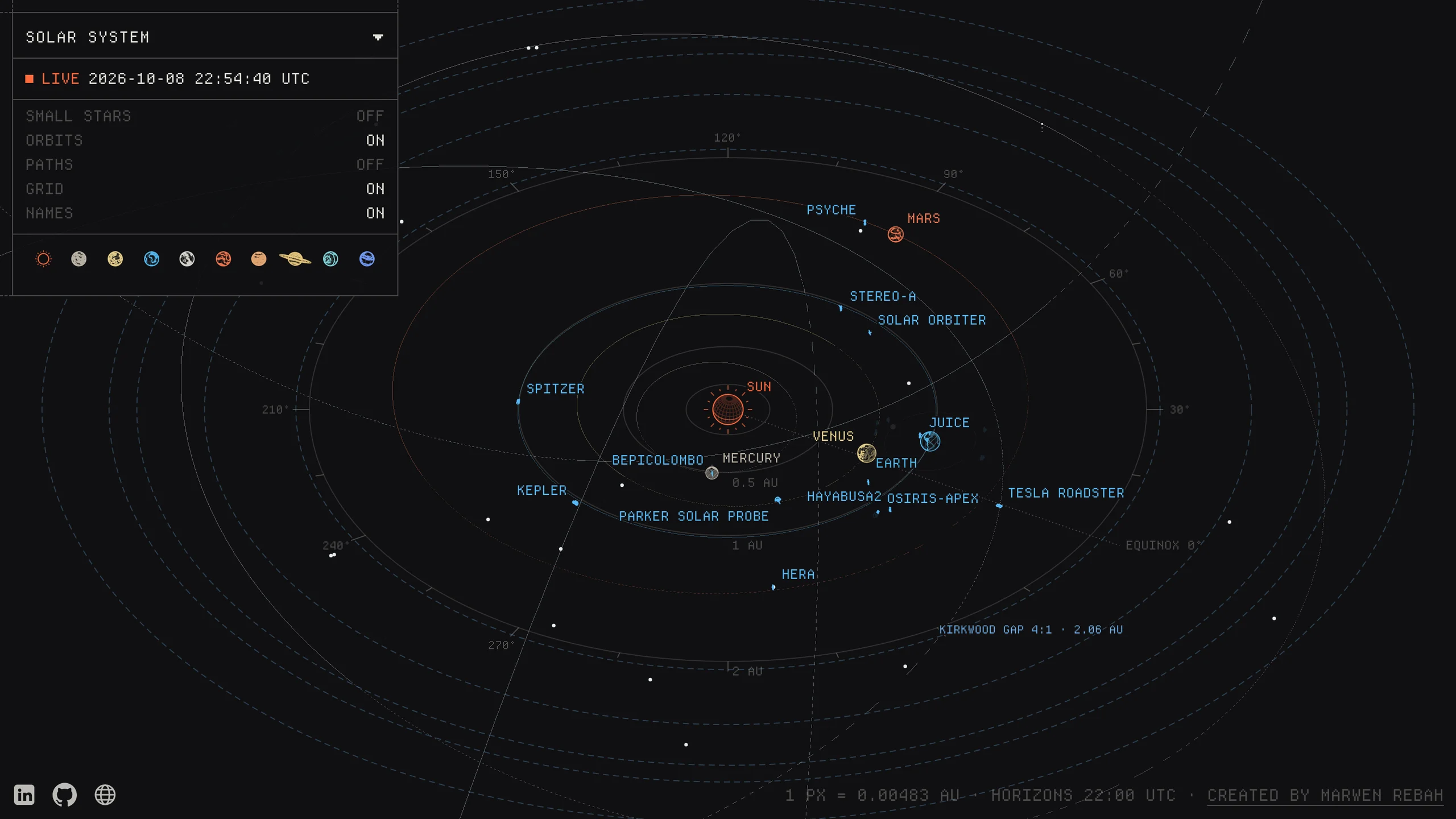
Atlas is a live map of everything we know about, from satellites a few hundred kilometres up to galaxies millions of light years away. Every planet, moon, spacecraft and star is drawn where it actually is right now, using public data, in a fine line technical style. There's no timeline and hardly any buttons. You drag to turn, scroll to zoom and click to fly somewhere. I wanted to know if one page could hold all of that, stay accurate, and still feel as quick as a normal map.
Visit the live site ↗One map, one continuous zoom
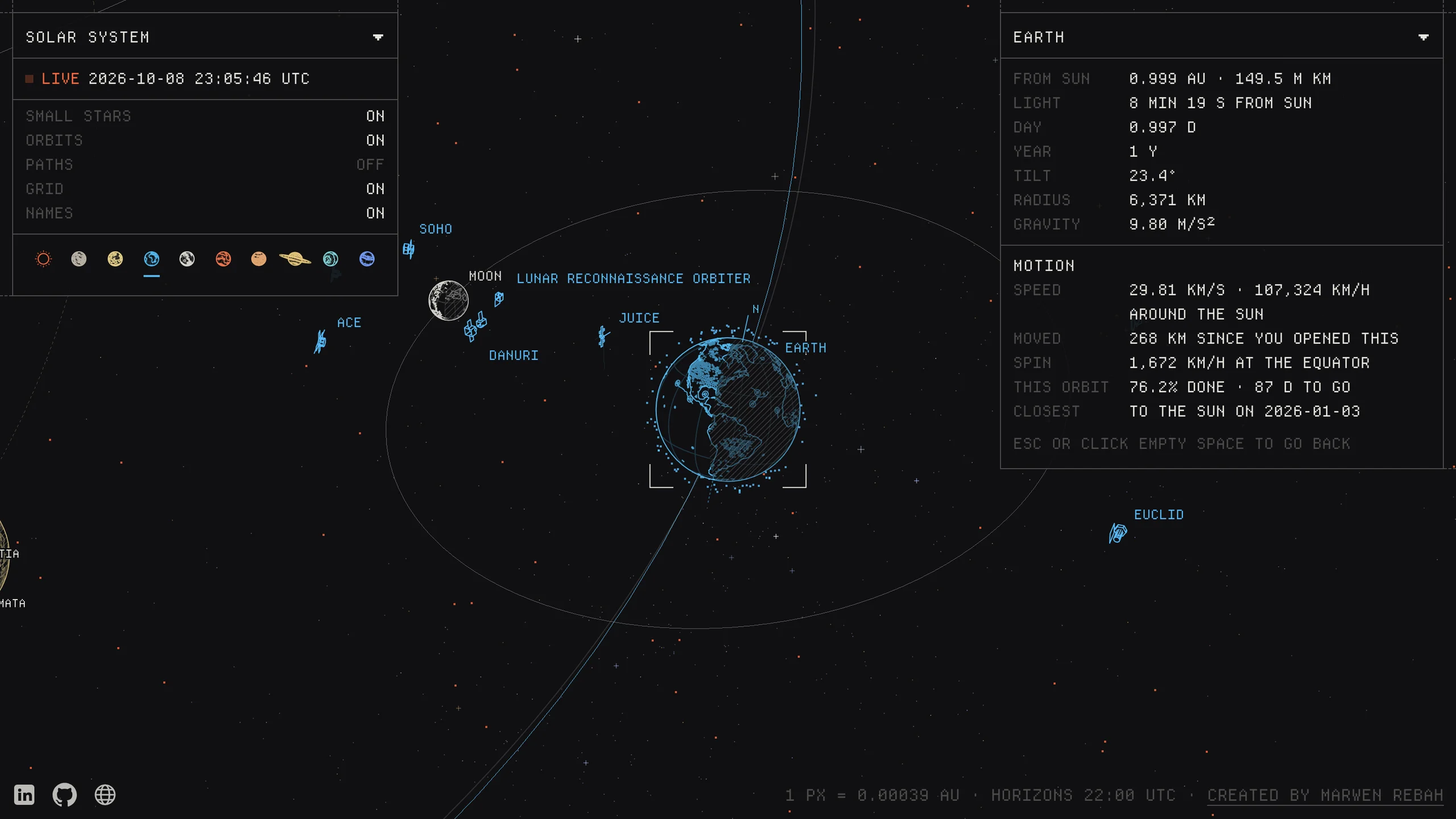
Everything lives in one frame of reference, centred on the Sun and measured in astronomical units. A single scroll can take you from the ISS's solar panels out past the Oort cloud and the Milky Way to the Local Group, with no loading screen and no page change. The camera always looks down at 37° and only turns and zooms, which is what keeps you from getting lost.
I didn't want separate scenes, because every cut is a moment where you lose track of where you are. Flights use Van Wijk and Nuij's zoom path: the camera pulls back until both ends are on screen, crosses, then drops in, so Earth to Voyager 1 feels like one move. Camera motion runs on springs (stiffness 64, damping 16) that settle in about 0.8 seconds with no overshoot. At planet scale even a small overshoot looks like a glitch.
Planets are drawn bigger than life when you're far away so you can still find them, and grow smoothly to their true size as you get close. Pressing Escape used to make the camera jump. Now it eases back like everything else.
Built on public data, read live
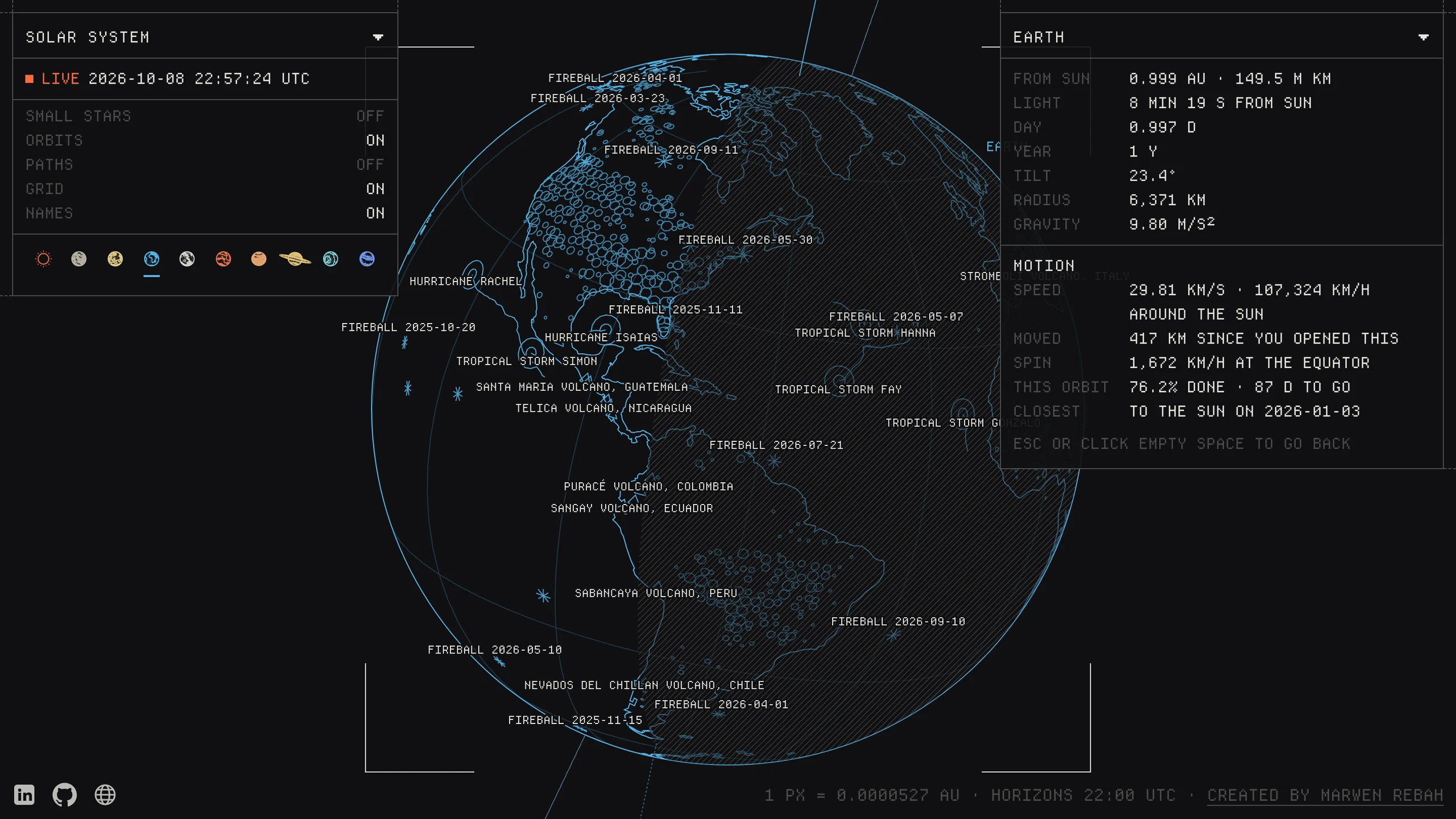
Atlas pulls from 48 public sources, and each one is credited on its own page. Planets, moons, comets and spacecraft come from NASA JPL Horizons, satellites from CelesTrak, sunspots from NOAA, solar flares from NASA DONKI, wildfires, storms and volcanoes from NASA EONET, fireballs and close approaches from JPL CNEOS, and the Mars rover tracks from NASA's MMGIS. Stars come from ESA Gaia, exoplanets from the NASA Exoplanet Archive, and galaxies from published catalogues.
All the fetching happens on the server. Horizons doesn't send CORS headers, so the browser can't call it directly, and it returns a 503 if you send requests in parallel. So the server asks it one thing at a time and caches each source for about as long as it takes to change: Horizons hourly, satellites every few hours, asteroids once a day.
A failed request is never cached, so the next visit just tries again. If Horizons is down entirely, planets fall back to JPL's published orbital elements and satellites to a saved copy of CelesTrak. Nobody has to touch it to keep it current.
Positions you can trust
Between Horizons updates, bodies move along their orbits using Kepler's laws. That code is unit tested against Horizons' own numbers, and the Moon, the hardest case, stays within 0.03° and 60 km. Satellites are computed from their orbital elements with Earth's bulge included, which is good to tens of kilometres.
Each panel shows how old its data is, and anything not drawn to scale says so on screen. A map that looks precise but quietly isn't would be worse than one that tells you what it doesn't know.
Every object as a drawing
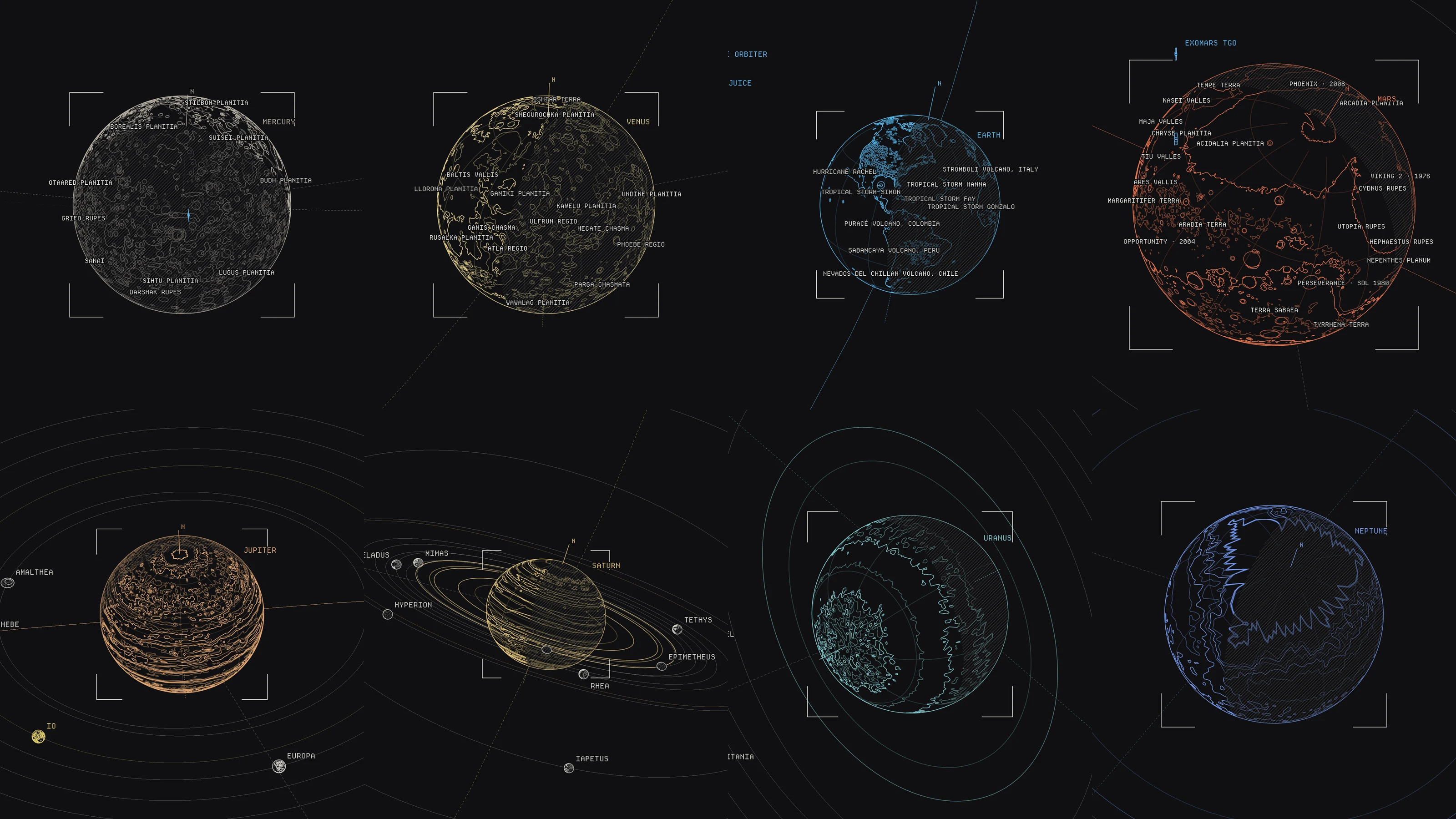
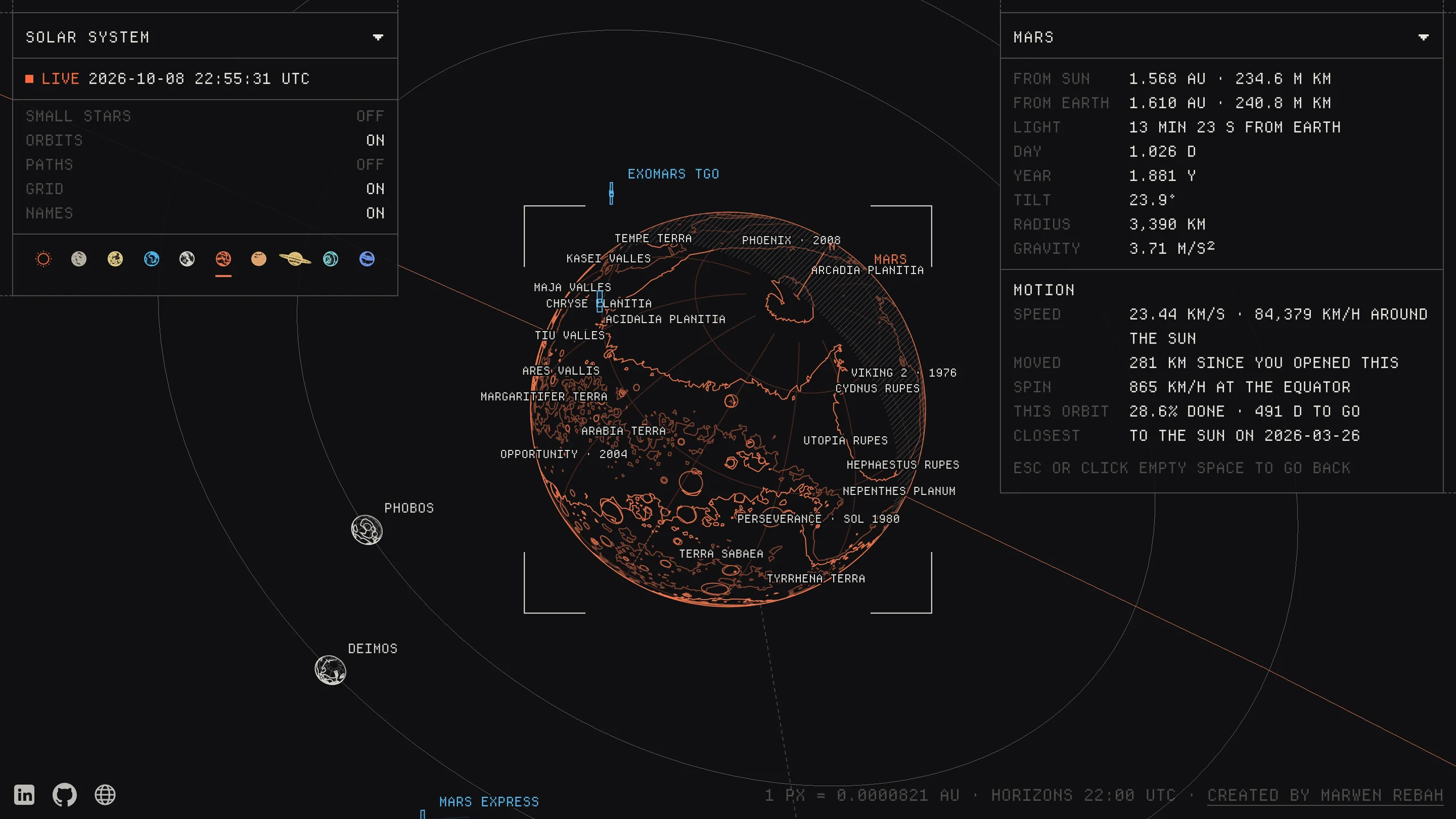
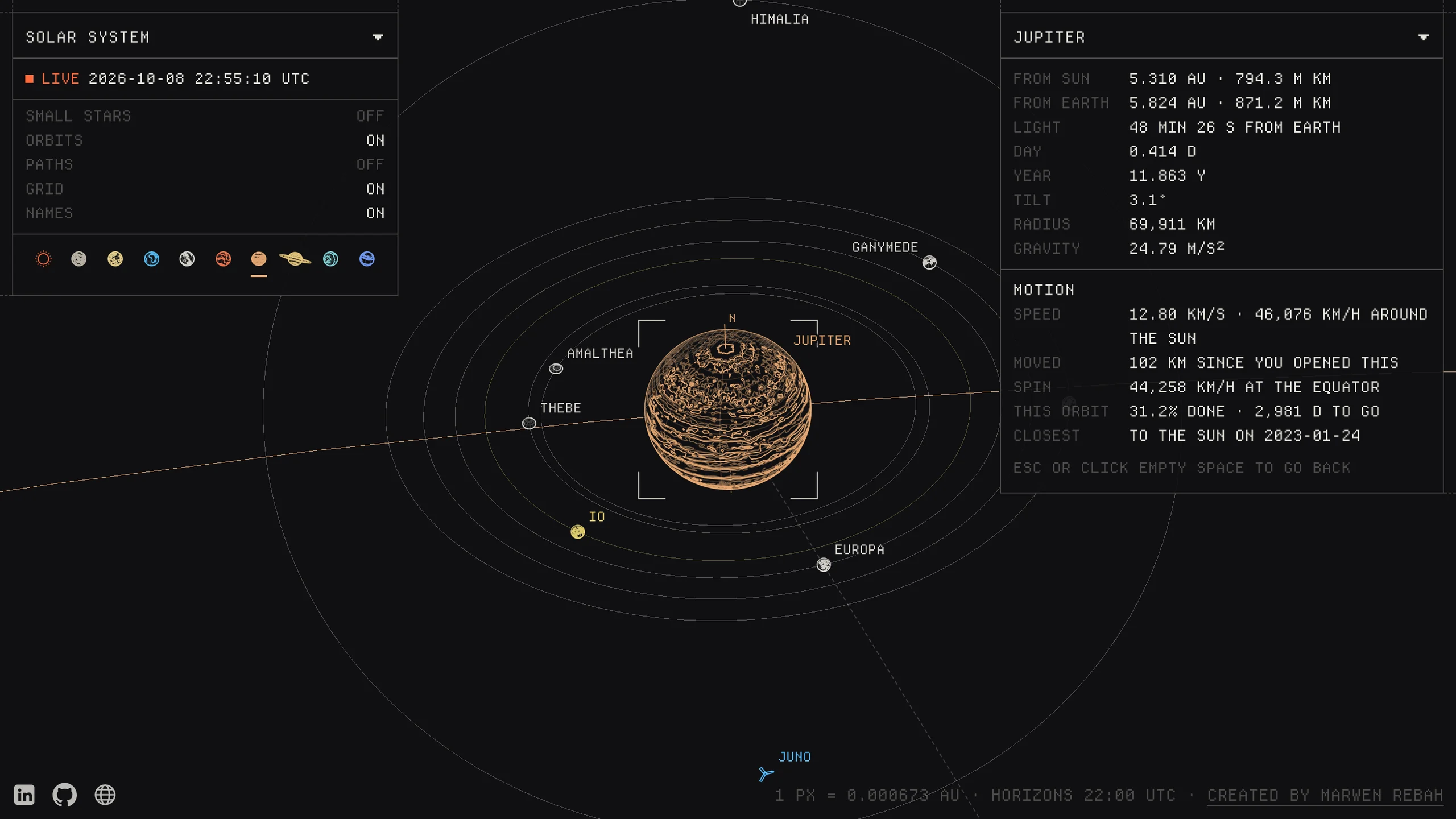
There are no dots. Every globe comes from one shared component fed with its own real data: Mars from laser altimetry, Venus from Magellan radar, Mercury from MESSENGER, Earth from Natural Earth coastlines, and the gas giants from Hubble cloud maps, with Jupiter's Great Red Spot moved to where it is today. Craters and regions get their IAU names once they're big enough to read.
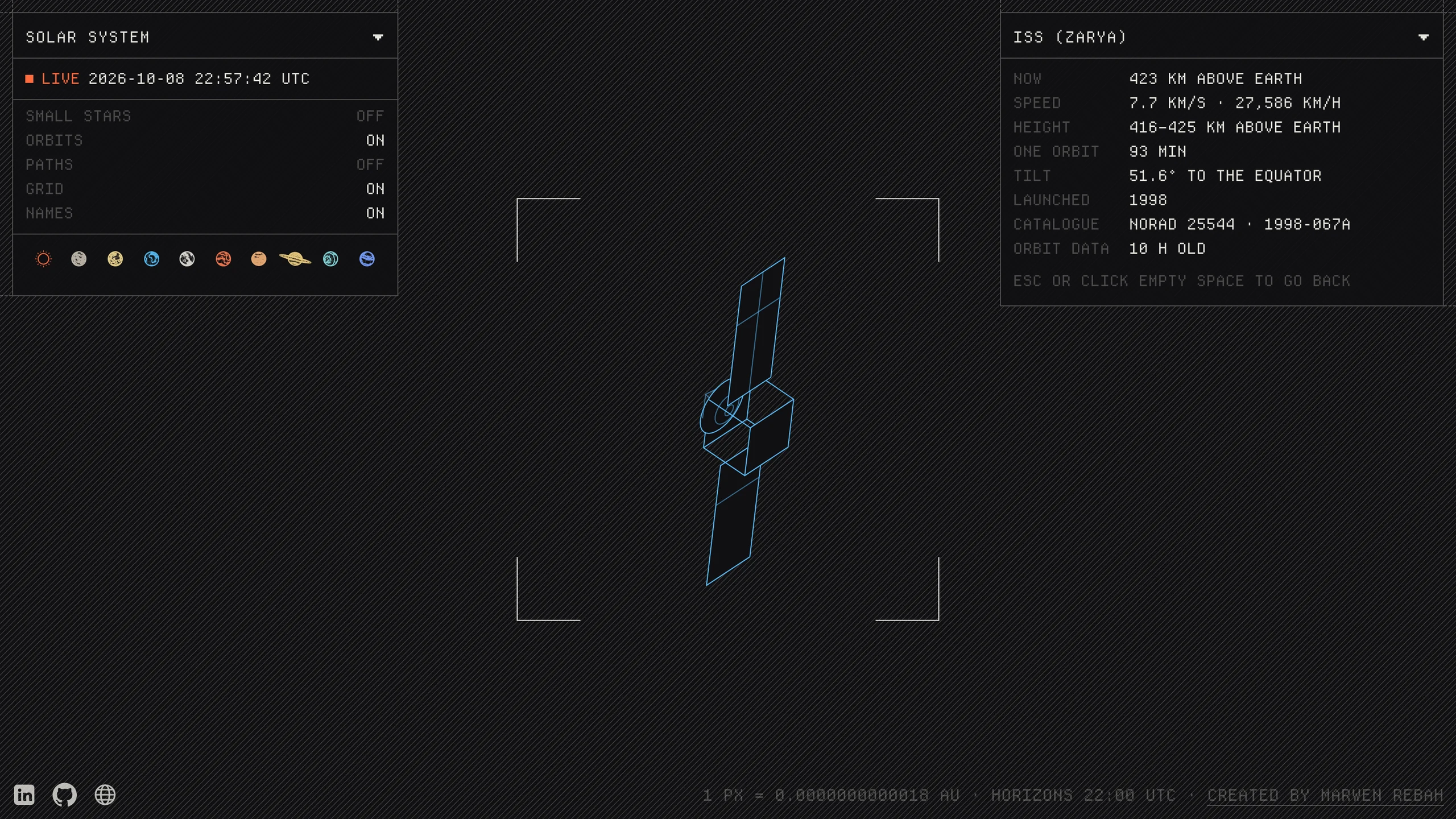
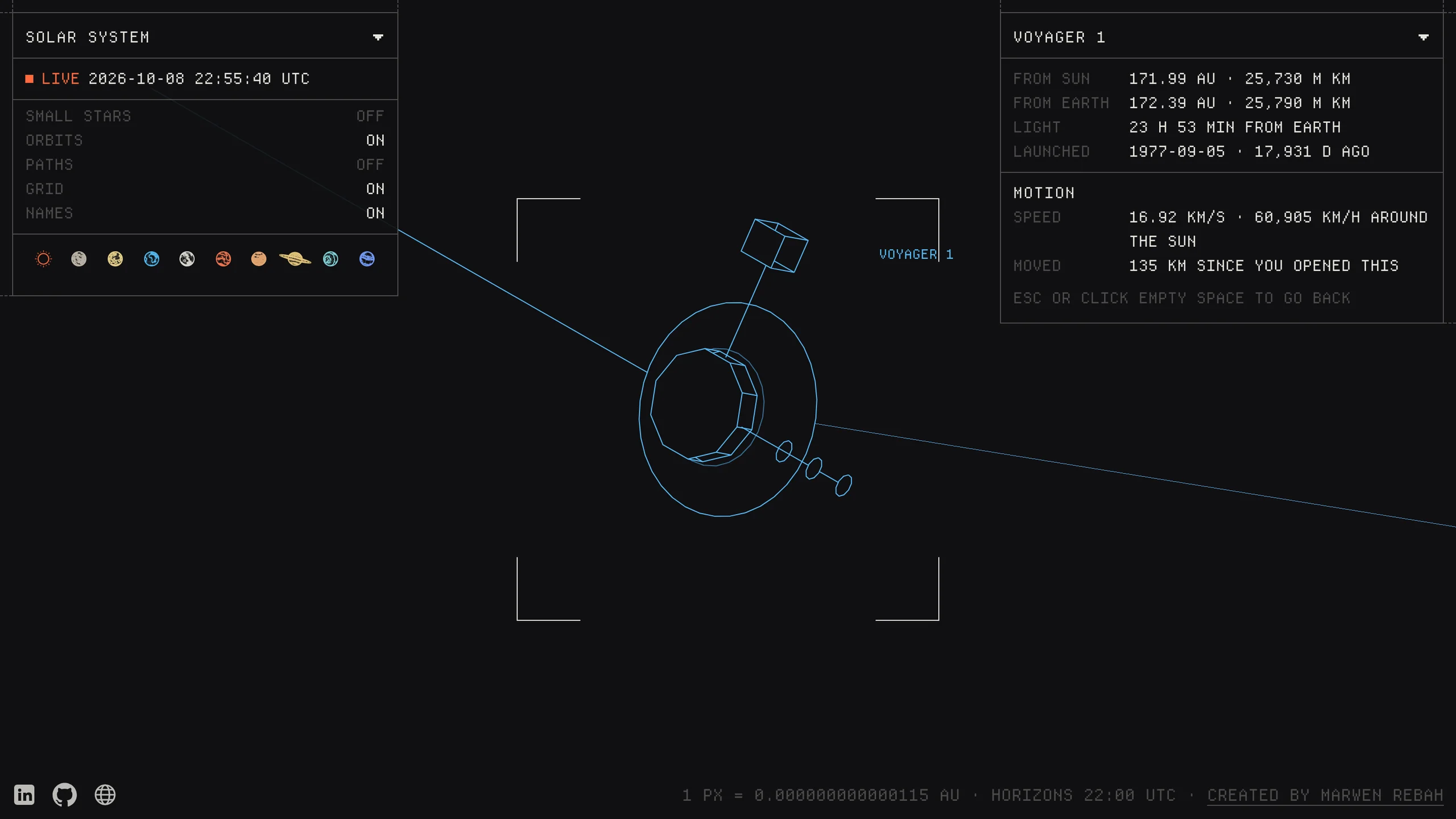
Live layers sit on top: today's wildfires, storms and their tracks, volcanoes and fireballs on Earth, and every Mars landing site plus both rovers' drives. Spacecraft and satellites are 3D line models that turn with the camera and reach their real size when you zoom all the way in.
True scale caused its own bug. Zoomed out, Earth shrank below one pixel and just disappeared. Planets now have a minimum of 5 pixels and moons 3, so you can always find them, and they're still exactly where they should be.
From the solar system to the galaxies
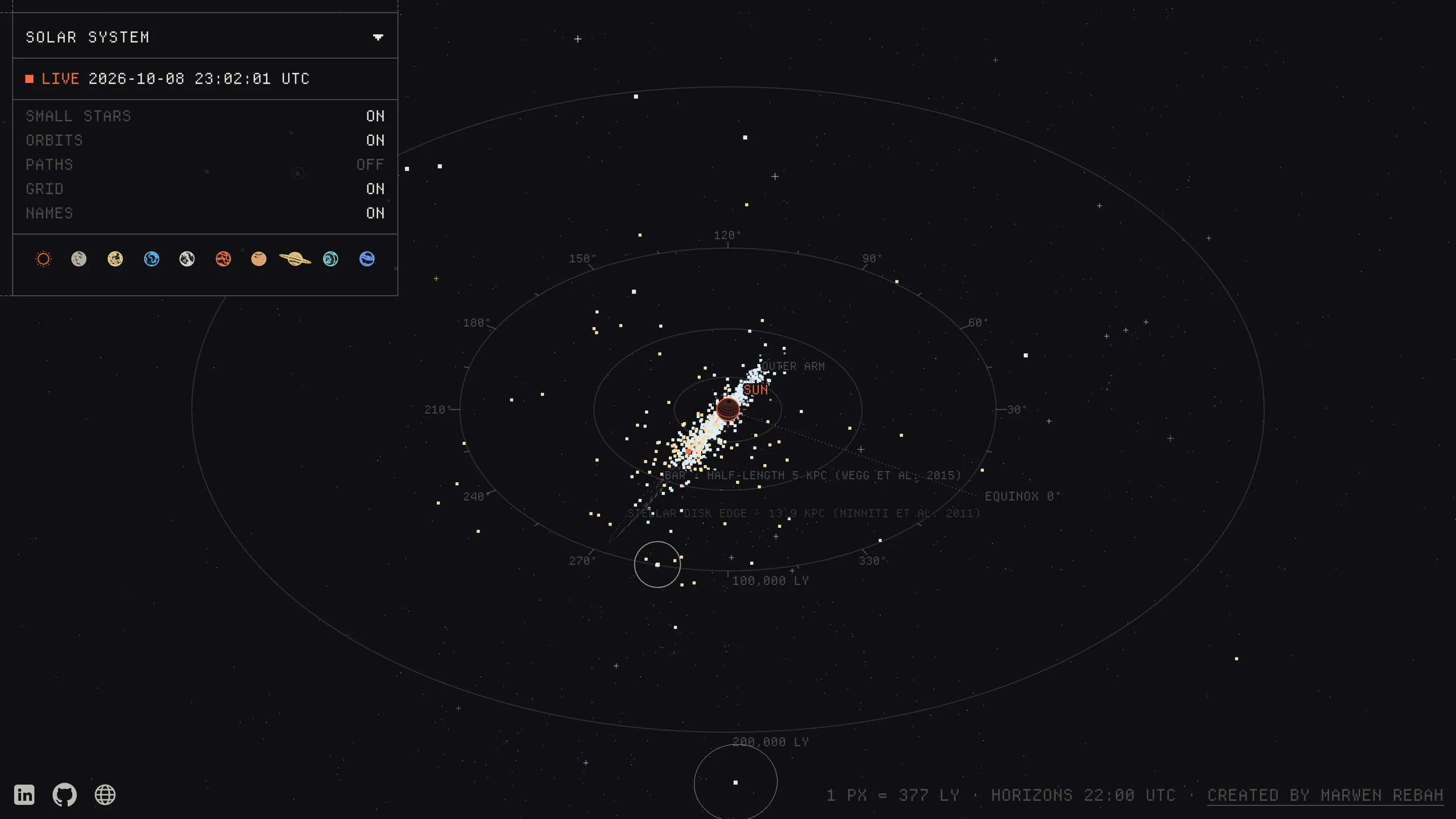
Zoom out and the planets hand over to the asteroid belt with its Kirkwood gaps, the edge of the heliosphere where both Voyagers crossed it, the Oort cloud, our nearest stars with their known planets and habitable zones, the arms of the Milky Way, and finally the Local Group and the galaxies past it.
It's the same zoom the whole way, and nothing reloads between planets and galaxies. That only works because of the precision trick in the next section. One of the last bugs I fixed was comets near the far end of their orbits, which an early version put in the wrong place.
Fast enough to feel like a map
Frame rate was the first rule. Long lines and tens of thousands of points are drawn with WebGL on one shared canvas. Moon orbits are stretched on the GPU as you zoom instead of being rebuilt every frame. Globes and labels stay in SVG, cached, and a label placer stops names from overlapping.
The hard part was precision. GPUs work in 32 bit floats, roughly seven digits, and Atlas covers 1e-11 to 1e12 astronomical units. So each position is split into a high half and a low half, and the camera position is subtracted before they're combined. That's what lets a spacecraft and a galaxy sit in the same frame without shaking.
The dense layers started out in SVG and moved to WebGL2 once they became the bottleneck. A script measures frame rate on the production build in every scenario, from dragging the overview to flying to Voyager, at normal speed and with the CPU slowed four times. If a device has 20 frames slower than 22 ms, the map switches to a lighter scene while the camera moves. The details card also used to freeze during flights. It keeps updating now.
An opening that becomes the map
While the scripts download, the planet orbits and the grid draw themselves in. A tiny script that runs before anything else works them out for your screen. When the map is ready it appears around those same lines, which don't move, and the planets, labels and panels fade in.
A loading screen that gets swapped out feels like waiting. One that turns out to be the first frame of the map feels like it already started. Measuring the page also showed that every single wildfire was being sent to the browser even though only regions are drawn. Grouping them on the server took the page from 1.46 MB to 336 KB.
Checked at every step
The project runs Biome, knip and tsr for code checks, 175 Vitest unit tests for the maths and data parsing, and Playwright end to end tests with Axe for accessibility on desktop and phone. They cover the loading screen, search and every flight path that's broken before.
Most of those tests exist because something broke. The Escape jump and Earth disappearing both have one now, so they can't sneak back.